目次
vue-prism-editorとは
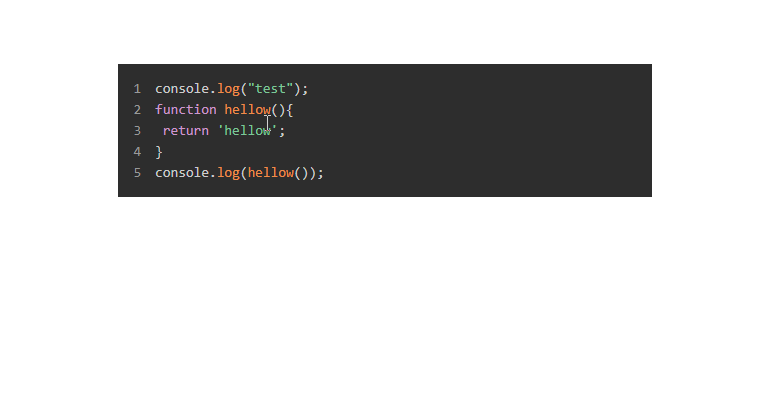
vue-prism-editorは、Vue.jsを使ってPrism.jsのsyntax highlightが付いたエディタを実装するコンポーネントライブラリです。
またRead OnlyをOnにすることで、表示するだけにすることも可能です。
【動画サイズ:20KB】
環境
| Vue | 2.6.10 |
| vue-prism-editor | 1.3.0 |
インストール
以下のnpm、yarn、CDNを使ってインストールします。
npm
npm install vue-prism-editor
yarn
yarn add vue-prism-editor
UMD
<link rel="stylesheet" href="https://unpkg.com/[email protected]/themes/prism-tomorrow.css">
<link rel="stylesheet" href="https://cdn.jsdelivr.net/npm/[email protected]/dist/prismeditor.min.css">
<script src="https://unpkg.com/[email protected]/dist/prismeditor.umd.production.min.js"></script>
<script src="https://unpkg.com/prismjs"></script>
gitリポジトリは以下から取得できます。
https://github.com/koca/vue-prism-editor/
導入手順
1. ライブラリの取り込み
(1)ES6等の場合 [注意]モジュール版は未検証です。
import { PrismEditor } from 'vue-prism-editor';
import 'vue-prism-editor/dist/prismeditor.min.css';
import { highlight, languages } from 'prismjs/components/prism-core';
import 'prismjs/components/prism-clike';
import 'prismjs/components/prism-javascript';
import 'prismjs/themes/prism-tomorrow.css';
(2)UMDの場合
const PrismEditor = window['PrismEditor'].PrismEditor;
2.メソッドを設定
上記で取得したVuePrismEditorをVue.componentに取り込みます。
Vue.component('PrismEditor', PrismEditor);
new Vue({
  el: '#app',
  data: function(){
    return {
      code: "console.log('hello world')"
    }
  },
  methods: {
    highlighter: function(code) {
      return Prism.highlight(code, Prism.languages.js, "js");
    }
  },
});
3. テンプレートを準備
<prism-editor> を設置します。
[注意] サンプルはケバブケースで記載しています。
<div id="app">
  <prism-editor class="my-editor height-200" v-model="code" :highlight="highlighter" line-numbers></prism-editor>
</div>
サンプル
さいごに
Vue.jsを使ってPrism.jsのsyntax highlightが付いたエディタを実装するコンポーネントライブラリでした。
今日はこの辺でー
